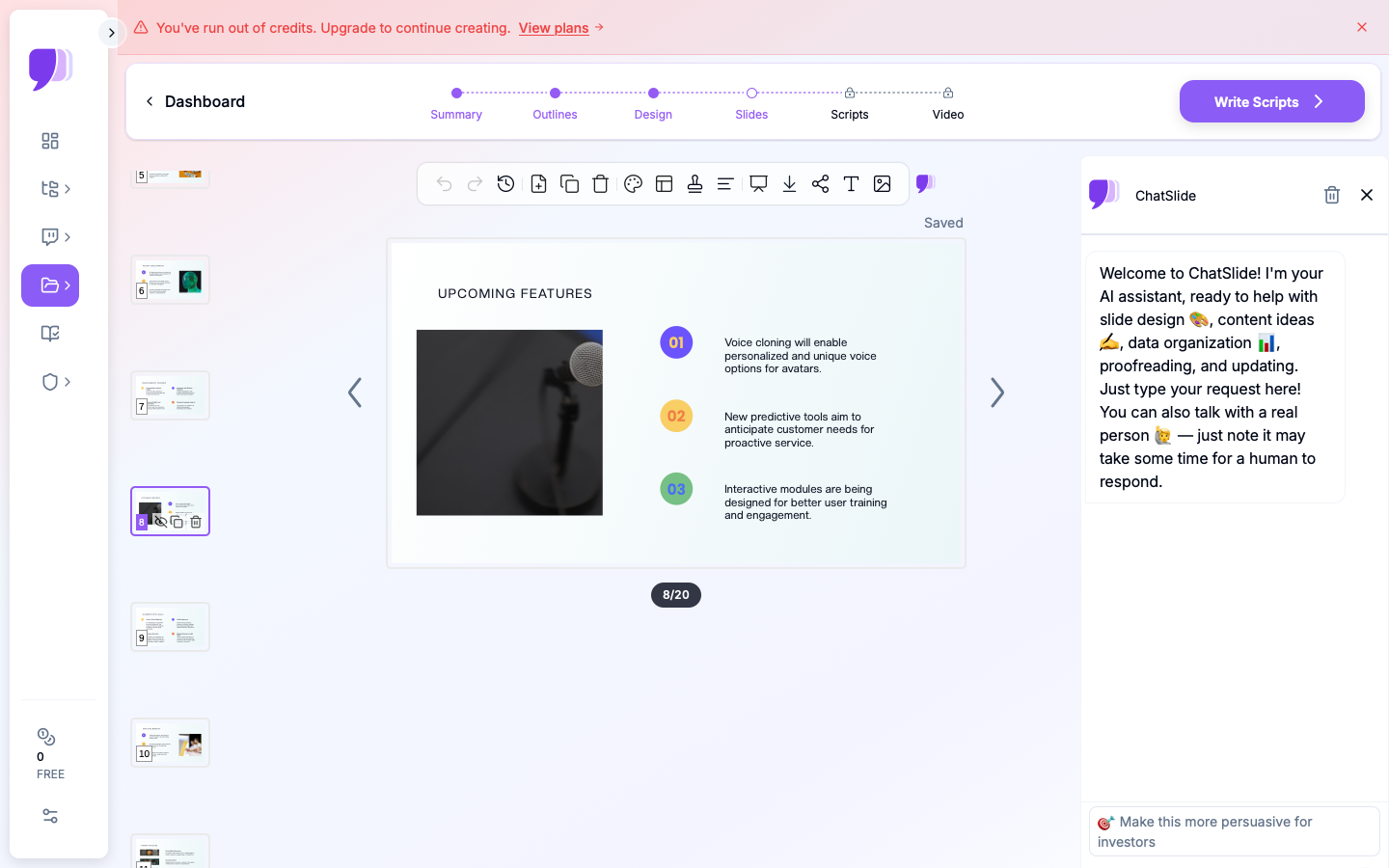
Building a presentation has always been one of those tasks that takes far longer than it should. You spend the first hour staring at a blank slide, the next two rearranging elements that never quite look right, and the last thirty minutes second-guessing your font choices. AI-powered presentation tools have fundamentally changed that process by handling the structural and visual heavy lifting so you can focus on the content and the argument. Whether you are starting from nothing or trying to salvage a presentation that feels flat, the right AI tool can turn hours of frustration into a polished deck in a fraction of the time.
Why Starting a Presentation From Scratch Is So Hard (and How AI Fixes It)
The blank slide problem is real. Most people find it easier to react and refine than to originate, which is why staring at an empty canvas is so paralyzing. The challenge is not a lack of ideas; it is the absence of a structure to react to. AI presentation tools solve this by generating an initial draft, including slide structure, suggested headings, body copy, and layout choices, the moment you describe your topic. Suddenly, instead of facing a blank slide, you are editing and refining, which is a completely different and far more productive cognitive experience.
AI tools also address the design knowledge gap that trips up most non-designers. Knowing what to say in a presentation is a separate skill from knowing how to present it visually. Professional templates built into AI presentation platforms ensure that your slides have proper visual hierarchy, readable typography, and a coherent color system from the first draft. The result is that subject matter experts, business owners, educators, and students can produce decks that look like a design agency built them without any design training at all.
Beyond the initial draft, AI continues to add value throughout the editing process by suggesting improvements, reformatting content for different slide types, and helping you maintain consistency as the deck grows. The best platforms integrate AI at every stage rather than treating it as a one-time generation feature.
What to Look for in an AI Presentation Tool
Not all AI presentation tools are equally capable, and the differences matter significantly depending on how you work and what you need to produce. Before committing to a platform, evaluate it against this checklist of core features:
- AI draft generation from a prompt: The ability to describe your presentation topic in plain language and receive a structured, multi-slide draft is the foundational feature of any serious AI presentation tool.
- Professional template libraries: AI-generated content needs a strong visual container. Look for platforms with a wide range of professionally designed templates, not just a handful of generic layouts.
- Editable slide structure: The AI draft is a starting point, not a finished product. The platform should make it easy to add, remove, reorder, and restructure slides without friction.
- Brand customization: The best tools let you apply your own colors, fonts, and logo to any template so the finished deck reflects your brand identity rather than the platform’s defaults.
- Content enhancement tools: Beyond generating drafts from scratch, strong platforms use AI to improve existing content, whether by suggesting better phrasing, restructuring bullet points, or recommending layouts that suit a particular type of content.
- Export flexibility: The ability to export finished presentations in multiple formats, including PDF and widely used slide formats, ensures compatibility with the tools your audience or colleagues use.
- Collaboration features: If you are building a presentation with a team, the ability to share, comment on, and co-edit a deck inside the platform prevents version control chaos.
10 Tips for Building Better Presentations With AI Tools
1. Give the AI a Specific, Detailed Prompt
The quality of an AI-generated presentation draft is directly proportional to the quality of the input you give it. A vague prompt like “a presentation about marketing” will produce a generic, surface-level draft. A specific prompt like “a twelve-slide presentation for a retail brand’s quarterly review, covering social media performance, customer acquisition costs, and Q3 campaign results” will produce something far more structured and usable.
Before you type your prompt, take two minutes to clarify the audience, the purpose, the key points you need to cover, and the approximate length. Think of it as briefing a colleague. The more context you provide, the less editing the draft will need. Over time, you will develop a sense of how much specificity different types of presentations require, and your first drafts will get progressively closer to finished quality.
2. Use Templates as a Visual Framework, Not a Constraint
A common mistake is choosing a template and then forcing your content to fit its default structure rather than adapting the template to serve your content. Professional templates in AI presentation platforms are designed to be flexible. Swap out background colors, replace placeholder images with your own visuals, change the number of text columns on a slide, and adjust font sizes to give certain points more weight. The template handles the visual system; you control how the content lives within it.
When browsing templates, filter by presentation style rather than by topic. A bold, high-contrast template communicates energy and confidence. A clean, minimalist layout signals precision and clarity. A warm, editorial style works well for storytelling and brand narratives. Matching the visual personality of your template to the tone of your presentation makes the design feel intentional rather than borrowed.
3. Let AI Restructure Existing Content Before You Redesign
If you are trying to improve an existing presentation rather than build a new one, do not start by redesigning slides. Start by restructuring the content. Many AI presentation platforms allow you to paste in existing text, notes, or outlines and use the AI to reorganize that material into a logical, audience-friendly sequence. This often reveals structural problems, such as burying the key takeaway at the end or spending too many slides on context before getting to the point, that no amount of visual polish will fix.
Once the content structure is solid, redesigning becomes much easier because you have a clear sense of how many slides you need, which points deserve their own slide, and where supporting visuals would add value. Trying to redesign and restructure simultaneously is one of the main reasons presentation revisions take so long. Separate the two tasks and do them in order.
4. Use Adobe Express to Generate AI-Powered Presentation Drafts
For a platform that combines AI draft generation with a professional template library and intuitive design tools, the AI presentation maker from Adobe Express is a strong option worth exploring. You can describe your presentation topic and let the AI generate a structured, multi-slide draft, then customize it using Adobe Express’s full suite of design tools including brand kit integration, access to Adobe Fonts, and a library of Adobe Stock imagery.
What makes Adobe Express particularly useful is that the AI generation and the design customization live in the same environment. You are not generating content in one tool and then importing it into another for visual editing. The entire workflow, from first draft to finished, export-ready deck, happens in one place. This reduces friction significantly and makes it easier to iterate quickly when your content or audience changes.
5. Apply a Brand Kit Before You Start Customizing
If your AI presentation platform supports brand kits, set yours up before you begin customizing any template. A brand kit stores your logo, primary and secondary color palettes, and preferred typefaces so that they are available to apply across any design with a single action. Starting a presentation without a brand kit means manually updating every color and font on every slide, which is tedious and creates inconsistency.
With a brand kit in place, adapting any professional template to your brand takes minutes rather than hours. This is especially important for teams and agencies that produce presentations regularly for multiple clients or for internal use across departments. Consistent, on-brand decks build credibility with audiences and reduce the amount of feedback and revision cycles that stem from visual inconsistency.
6. Break Complex Ideas Into One-Point-Per-Slide Structures
One of the most common presentation mistakes is crowding too much information onto a single slide. AI-generated drafts sometimes make this mistake too, particularly when given dense source material to work with. A reliable rule of thumb is one primary point per slide. Supporting information, statistics, and examples can live on the same slide, but there should be a single, clear idea that a viewer can absorb at a glance.
When reviewing an AI-generated draft, flag any slide where you cannot identify the single primary point within three seconds of looking at it. That is a sign the content needs to be split across two slides or restructured with a stronger visual hierarchy. Most AI presentation tools make it easy to duplicate a slide and distribute content across both versions, so this kind of revision does not require rebuilding anything from scratch.
7. Use AI to Write Speaker Notes, Not Just Slide Content
Slide content and speaker notes serve different purposes. The slides are what your audience sees; the notes are what help you deliver your presentation confidently. Many AI presentation tools can generate speaker notes for each slide based on the visible content, giving you a ready-made script or talking point reference that you can refine to match your own voice and pacing.
This feature is especially useful for presenters who know their material well but struggle to organize their delivery. The AI-generated notes give you a structure to react to, and editing a draft is far less daunting than writing from scratch. For presentations that will be shared as standalone documents without a live presenter, the notes field is also where you can add the additional context that slides alone cannot carry.
8. Tailor the Visual Density of Each Slide to Its Purpose
Not every slide in a presentation should look the same. A title slide needs very little content; its job is to orient the audience and set a visual tone. A data slide needs clean, readable charts with minimal surrounding text. A key takeaway slide benefits from large, bold typography and plenty of whitespace to give the point room to land. AI presentation tools with smart layout suggestions can help you match the visual structure of each slide to its communicative function.
When reviewing an AI-generated draft, evaluate each slide not just for content accuracy but for visual appropriateness. Ask whether the layout serves the type of information on that slide. A dense bullet list might work well for a comparison slide but would undercut a strong closing statement that deserves a full-bleed visual and a single line of text. Adjusting layouts thoughtfully across a deck is one of the fastest ways to elevate an AI draft from functional to genuinely compelling.
9. Test Readability at Actual Presentation Scale
One of the most common oversights in presentation design is creating slides that look fine on a laptop screen but become unreadable at presentation size. Text that seems adequately sized in an editing view can disappear at the back of a conference room. Before finalizing any presentation, view it in full-screen mode and simulate the experience of sitting ten to fifteen feet from a large display.
As a practical guideline, body text should be no smaller than twenty-four points for in-person presentations. Headlines should be at least thirty-six to forty points. If applying these sizes causes text overflow or layout breakage, the solution is almost always to reduce the amount of text on the slide rather than to reduce the font size. AI tools that flag readability issues or suggest font sizing automatically can help catch these problems before they become a problem in front of a live audience.
10. Iterate With AI After Gathering Feedback
Presentation development rarely ends with the first draft, and AI tools are just as useful during revision cycles as they are during initial creation. After sharing a draft with colleagues or stakeholders and collecting feedback, bring the notes back into your AI presentation platform and use the content enhancement tools to address the specific issues raised. Asking the AI to rephrase a slide’s key message, condense a dense data summary, or suggest an alternative layout for a section that is not landing can accelerate the revision process considerably.
Treating the AI as a revision partner rather than a one-time generator changes how you engage with the tool. You get more value from it when you use it iteratively, and your presentations improve faster because you are combining human judgment about what is not working with AI efficiency in making targeted adjustments.
Frequently Asked Questions
How accurate are AI-generated presentation drafts, and how much editing do they typically need?
AI-generated presentation drafts are generally accurate in structure and layout but should always be treated as a first draft rather than a finished product. The AI draws on your prompt and, in some cases, your source documents to generate content, which means factual accuracy depends heavily on the quality of the input. For topic overviews and general business presentations, the draft will often be eighty to ninety percent usable with relatively light editing. For presentations that require precise data, industry-specific terminology, or nuanced arguments, the editing workload will be heavier because the AI is generating plausible-sounding content rather than verified facts. The best practice is to use AI drafts as a structural and visual scaffold and then replace or verify any specific claims, statistics, or technical details before presenting to any audience.
Can AI presentation tools work with content I have already written?
Yes, and this is one of the most underutilized applications of AI presentation platforms. Most capable tools allow you to paste in existing text, import a document, or upload a PDF and use that material as the source for a generated presentation. The AI will reorganize the content into a slide-by-slide structure, suggest appropriate layouts for different types of information, and apply a professional template to the result. This approach is particularly useful for turning research reports, meeting notes, or written proposals into a visual format quickly. The AI handles the time-consuming work of deciding how to slice and sequence the content while you focus on reviewing and refining the result.
What is the best way to maintain brand consistency across a presentation built with AI tools?
Brand consistency in AI-generated presentations starts before you open any template. Define your brand system first: choose a primary and secondary color palette, select one or two typefaces that reflect your brand personality, and have a high-resolution version of your logo ready to upload. Store these elements in a brand kit inside your presentation platform so they are applied automatically across any template you use. Beyond the brand kit, consistency is reinforced by choosing a single template family for a given presentation rather than mixing layouts from different visual systems. For teams producing presentations regularly, creating a master branded template that all team members work from eliminates most inconsistency issues at the source. For additional guidance on structuring and managing content workflows that feed into presentations, Notion’s template library includes a range of content planning and documentation frameworks that pair well with AI presentation tools.
Are AI presentation tools suitable for highly technical or data-heavy presentations?
AI presentation tools handle data-heavy presentations well as a visual framework but have limitations when it comes to live data integration and complex chart generation. For presentations that require precise, up-to-date charts and graphs, you will likely need to create the visualizations in a dedicated data tool and import them as images or embedded elements into your presentation. Where AI presentation platforms add the most value in technical presentations is in structuring the narrative around the data, generating slide frameworks that give each dataset its own slide, suggesting layouts that make dense information more readable, and maintaining visual consistency across a deck that might otherwise look disjointed when it mixes many different types of content. The AI handles the design system; the presenter provides the analytical accuracy.
Can I export AI-generated presentations to use in other software?
Most AI presentation platforms support export to widely used formats including PDF and common slide formats that are compatible with major presentation software. The availability of specific export formats varies by platform, so it is worth checking before committing to a tool if format compatibility is important to your workflow. PDF export is nearly universal and is the best option for presentations that will be shared as documents rather than delivered live. For presentations that will be edited further or delivered using other software, check whether the exported file preserves your fonts, layouts, and any embedded visuals accurately. Some platforms also support direct publishing or sharing via a link, which eliminates the export step entirely for presentations that will be delivered online.
Conclusion
AI presentation tools have removed the two biggest obstacles in the presentation creation process: the blank slide problem and the design knowledge gap. Whether you are building a deck from a single prompt, restructuring an existing document into a polished slide format, or iterating through revisions with AI assistance at every step, these platforms make it possible to produce professional, visually coherent presentations faster than ever before.
The tips in this guide, from crafting specific prompts and setting up brand kits to testing readability and using AI during revision cycles, are designed to help you get consistent results regardless of your design background or the complexity of your content. The technology handles the heavy lifting; your job is to bring the ideas, the context, and the judgment that no AI can replicate. Start with a strong tool, build a workflow that uses AI at every stage, and let your presentations reflect the quality of the thinking behind them.