

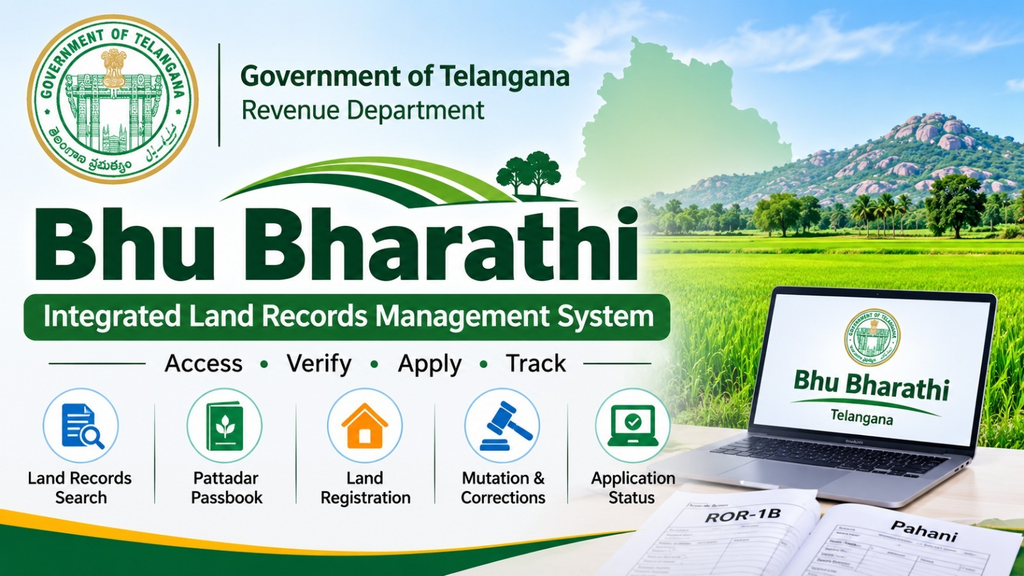
Bhu Bharathi is the official Integrated Land Records Management System launched by the Government of Telangana to make land administration more transparent, accessible, and efficient. Through the Bhu Bharathi portal, citizens can access land records, check ownership details, view Record of Rights (ROR-1B), search agricultural land information, track applications, and use various property-related services online.
The portal operates under the Telangana Revenue Department and provides digital services for landowners, farmers, property buyers, and other citizens. Whether you want to verify land details, check your Pattadar Passbook information, or apply for corrections in land records, Bhu Bharathi provides a centralized platform for these activities.
What Is Bhu Bharathi?
Bhu Bharathi is an online land records management portal introduced by the Government of Telangana under the Telangana Bhu Bharathi (Record of Rights in Land) Act, 2025. The Act came into force on April 14, 2025, replacing the previous land records framework.
The primary objective of Bhu Bharathi is to improve the accuracy of land records, simplify revenue services, and reduce difficulties faced by landowners when accessing government services.
The system brings several land-related activities together, allowing citizens to access important information and submit applications without repeatedly visiting government offices.
Its major objectives include:
- Maintaining accurate and updated land ownership records.
- Providing online access to agricultural land information.
- Simplifying land registration and mutation procedures.
- Helping citizens obtain and update Pattadar Passbooks.
- Providing a system for land-related complaints and appeals.
- Improving transparency in property transactions.
Official Website: https://bhubharati.telangana.gov.in/
Always use the official Telangana government website for land information and applications.
How to Check Telangana Land Records on Bhu Bharathi
Citizens can search for their land records online through the Bhu Bharathi portal. The search facility allows users to find land information using available identification details, such as a survey number or Pattadar Passbook number.
Follow these steps:
- Visit the official Bhu Bharathi website.
- Open the Land Details Search section.
- Select the appropriate search method.
- Enter the required information, such as the Pattadar Passbook number or survey number.
- Select your district, mandal, and village wherever required.
- Complete the displayed captcha verification.
- Submit the details to view the available land information.
After submitting the information, the portal displays the corresponding land record details, depending on the selected search method and available records.
Keep your survey number, subdivision number, or Pattadar Passbook information ready before starting the search.
How to Check ROR-1B and Pahani Online
ROR-1B and Pahani are important land records used in Telangana to access information about agricultural properties and recorded ownership.
ROR-1B (Record of Rights) contains important information about land ownership and related revenue entries. It helps landowners verify the details recorded in the government’s land records system.
Pahani (Adangal) is an agricultural land record that contains information about land classification, cultivation, crop details, and other relevant revenue particulars.
To access these records:
- Open the official Bhu Bharathi portal.
- Navigate to the Land Details Search facility.
- Enter the required land identification details.
- Select the relevant district, mandal, and village.
- Complete the verification process.
- Check the available land record information.
The availability of specific documents and download options may depend on the land record and services currently provided through the portal.
Bhu Bharathi Pattadar Passbook
A Pattadar Passbook (PPB) is an important document containing details related to a landholder’s registered agricultural land. It helps identify the recorded pattadar and provides relevant information about the property.
Through Bhu Bharathi, eligible citizens can access different passbook-related services, including:
- Applying for a Pattadar Passbook.
- Requesting a duplicate passbook.
- Correcting passbook information.
- Applying for passbooks for eligible institutional landholders.
- Checking the status of related applications.
If your existing Pattadar Passbook is lost or damaged, you can apply for a duplicate through the citizen login on the portal. The official FAQ specifies that applicants need their PPB number and Aadhaar number for this service.
Bhu Bharathi Application Status Check
Citizens who have submitted applications through the Bhu Bharathi portal can track their progress online.
To check an application:
- Visit the official Bhu Bharathi website.
- Open the eChallan / Application Status section.
- Select the relevant application type.
- Enter your application number or transaction ID.
- Provide the requested additional details, including the PPB number where applicable.
- Complete captcha verification.
- Submit the information to view the application status.
This facility helps applicants monitor their requests without repeatedly visiting the concerned revenue office.
Major Services Available on Bhu Bharathi Portal
Bhu Bharathi provides several services related to land records, registration, revenue administration, and property management.
Here are some of its important services:
1. Land Details Search
Citizens can search available land records using survey numbers, subdivision numbers, Pattadar Passbook information, and other required details.
2. Land Registration
The portal supports online processes related to property registration. Citizens can enter transaction details, make the required payments, download eChallans, and book registration slots.
3. Land Mutation
Mutation refers to updating government land records following a change in ownership, such as a registered sale, inheritance, or other eligible transaction.
Bhu Bharathi provides an application process for mutation and subsequent verification by the concerned authorities.
4. NALA Conversion
NALA refers to the conversion of agricultural land for non-agricultural purposes. The portal provides an online application process for eligible landowners.
5. Pattadar Passbook Services
Landowners can apply for passbooks, request duplicate copies, and submit applications for corrections through the available services.
6. Land Record Corrections
If ownership details, land extent, survey information, or other entries are incorrect, eligible citizens can submit correction requests through the relevant application modules.
7. Grievance and Appeal Services
The portal also provides facilities for submitting land-related grievances and appeals. Applicants can use the relevant services to raise issues concerning their land records and follow the prescribed procedures.
Bhu Bharathi Registration: Documents Required
If you are planning to register a property through Bhu Bharathi, it is important to prepare the required documents before booking your registration slot.
According to the official portal’s FAQ, the documents required for registration include:
- Original Pattadar Passbook of the seller.
- Buyer’s Pattadar Passbook, if available.
- Original document to be registered.
- Original eStamp eChallan.
- PAN cards of both buyer and seller, or Form 61 where applicable.
- Aadhaar cards of both parties.
- Two witnesses.
- Consenting parties, if applicable.
The seller, buyer, and both witnesses must be available during registration. The registration is conducted at the Tahsildar-cum-Joint Sub-Registrar Office specified in the slot booking receipt.
Requirements may vary depending on the transaction type, so check the official instructions before proceeding.
Bhu Bharathi Helpline Number
If you experience difficulties accessing land records, submitting applications, or using other portal services, you can contact the official support number.
Bhu Bharathi Helpline: +91 40-29313999
Available assistance hours: 10:00 AM to 5:00 PM.
You can also visit the nearest Tahsildar or Mandal Revenue Office (MRO) for assistance with land-related matters.
Frequently Asked Questions (FAQs)
1. What is the official website of Bhu Bharathi?
The official Bhu Bharathi website is https://bhubharati.telangana.gov.in/. It is managed by the Revenue Department of the Government of Telangana.
2. How can I check my land records online in Telangana?
Visit the official portal, open Land Details Search, enter your survey number or Pattadar Passbook details, select the required location information, and complete captcha verification to view available records.
3. Can I check Pahani and ROR-1B through Bhu Bharathi?
Yes. The portal provides access to land record information, including ROR-1B and Pahani, through its land details facilities.
4. How can I check my Bhu Bharathi application status?
Open the eChallan / Application Status section, select your application type, enter your application number or transaction ID, and submit the requested details.
5. Can I apply for a duplicate Pattadar Passbook?
Yes. Eligible landowners can apply for a duplicate Pattadar Passbook through the citizen login. The official FAQ specifies the PPB number and Aadhaar number as required details.
6. Is Bhu Bharathi available online?
Yes. The Telangana government provides Bhu Bharathi as an online platform for accessing land information and using various revenue and registration services.
7. Is Bhu Bharathi the same as Dharani?
No. Bhu Bharathi is the land records management system introduced under the Telangana Bhu Bharathi Act, 2025. It replaced the previous land records framework associated with Dharani.
Conclusion
Bhu Bharathi is an important digital initiative by the Government of Telangana that makes land records and revenue-related services more accessible to citizens. From checking ROR-1B and Pahani to applying for Pattadar Passbooks, tracking applications, and initiating property registration, the portal brings several essential services into one system.
Landowners and property buyers should use the official Bhu Bharathi website to access accurate information and complete their land-related applications. Always verify important ownership and transaction details with the concerned revenue authorities before making property-related decisions.